Merlin · Personal project
A desk in orbit, with my portfolio on the computer.
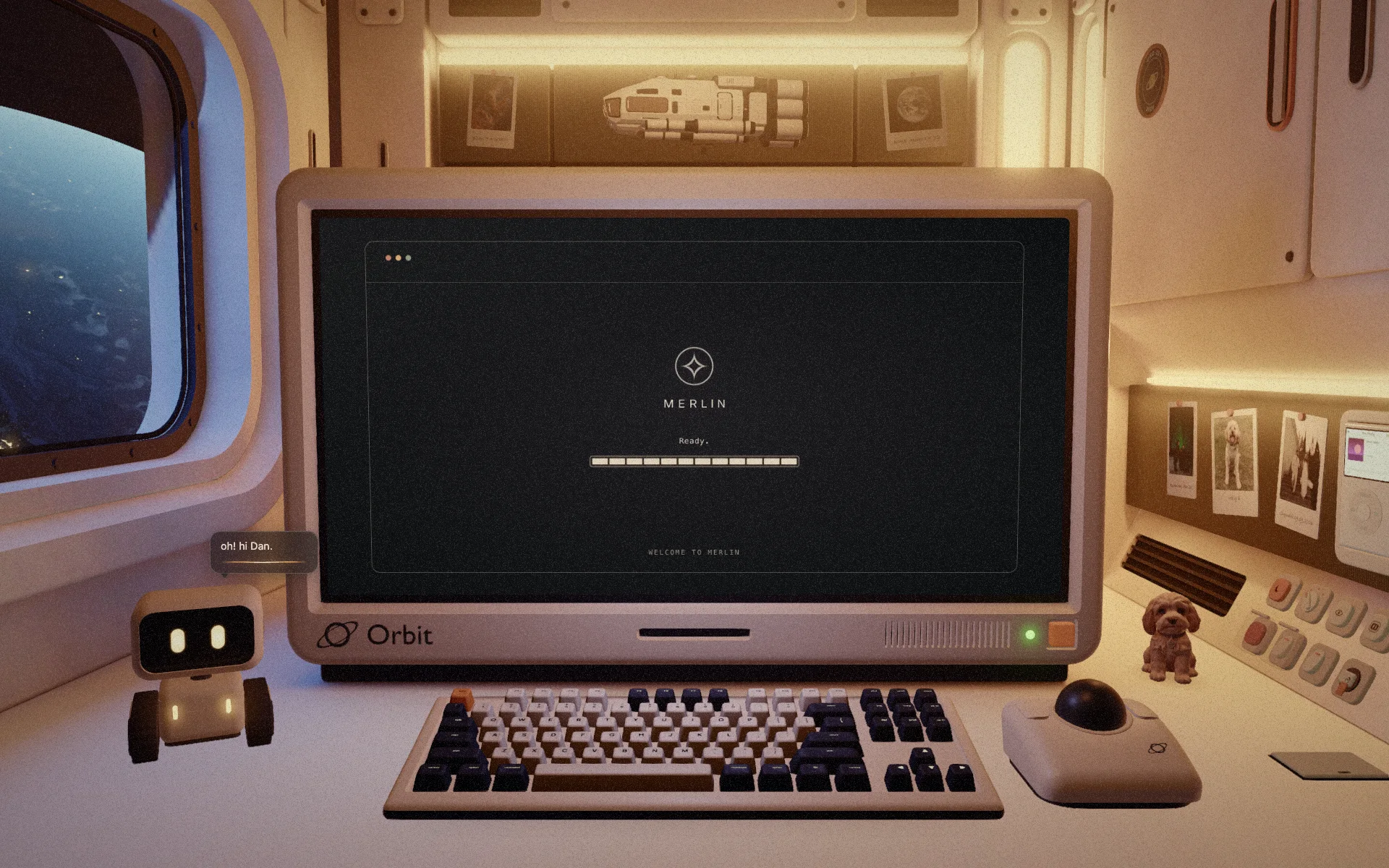
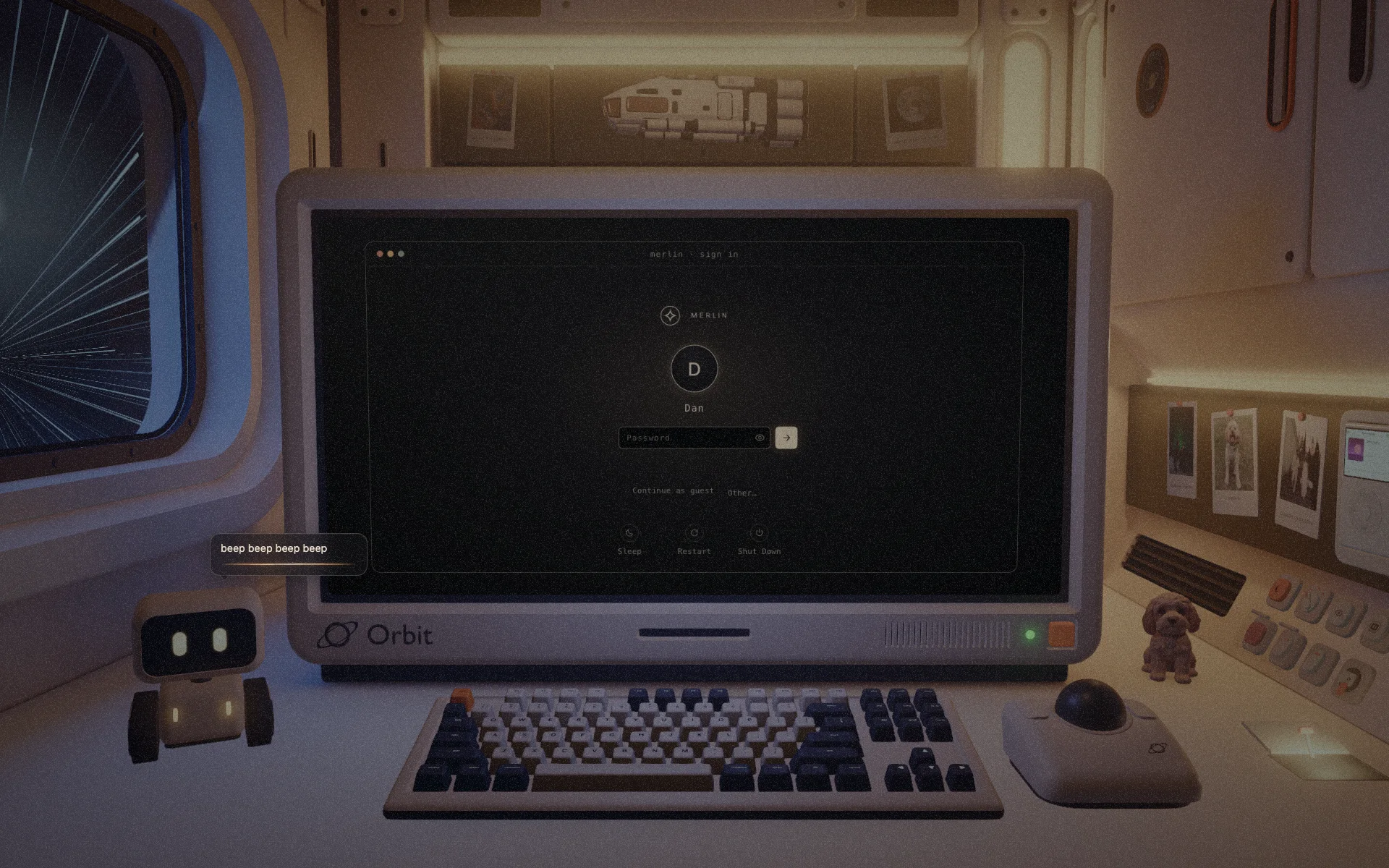
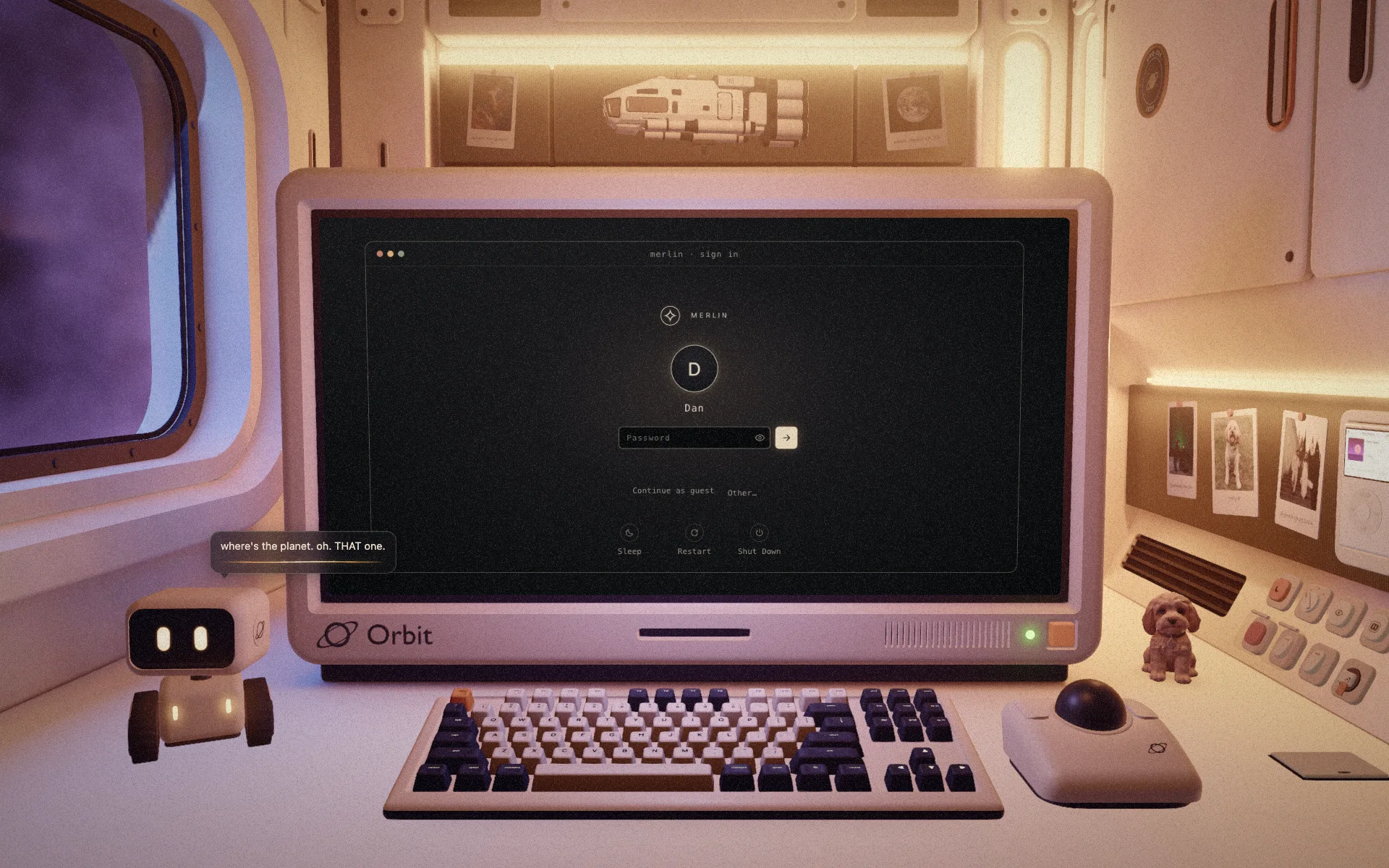
Merlin is a retro computer on a desk in a small space pod. Sit down at it and it boots an operating system of its own, with my work on it as files. I designed all of it, from the concept to the keycaps, and built it with AI-assisted coding.
- Role
- Concept, 3D, lighting, OS and interaction design, build
- When
- October 2026
- Stack
- Blender, three.js, Vite, vanilla JS and CSS
- Built with
- AI-assisted coding
The idea
A portfolio you can sit down at.
Most portfolios are a list of pages. I wanted a place: somewhere you arrive, look around, and find the work the way you would on someone’s actual computer. A desk only feels lived in if it has a life around it, so this one got a robot, a dog, some space homework and a few things that shouldn’t be pressed.
It was also a test of what I say about myself: that I design products and then build them. This is that, with nobody handing me a brief.
Process
Five stages, each one shaping the next.
- 01
Concept
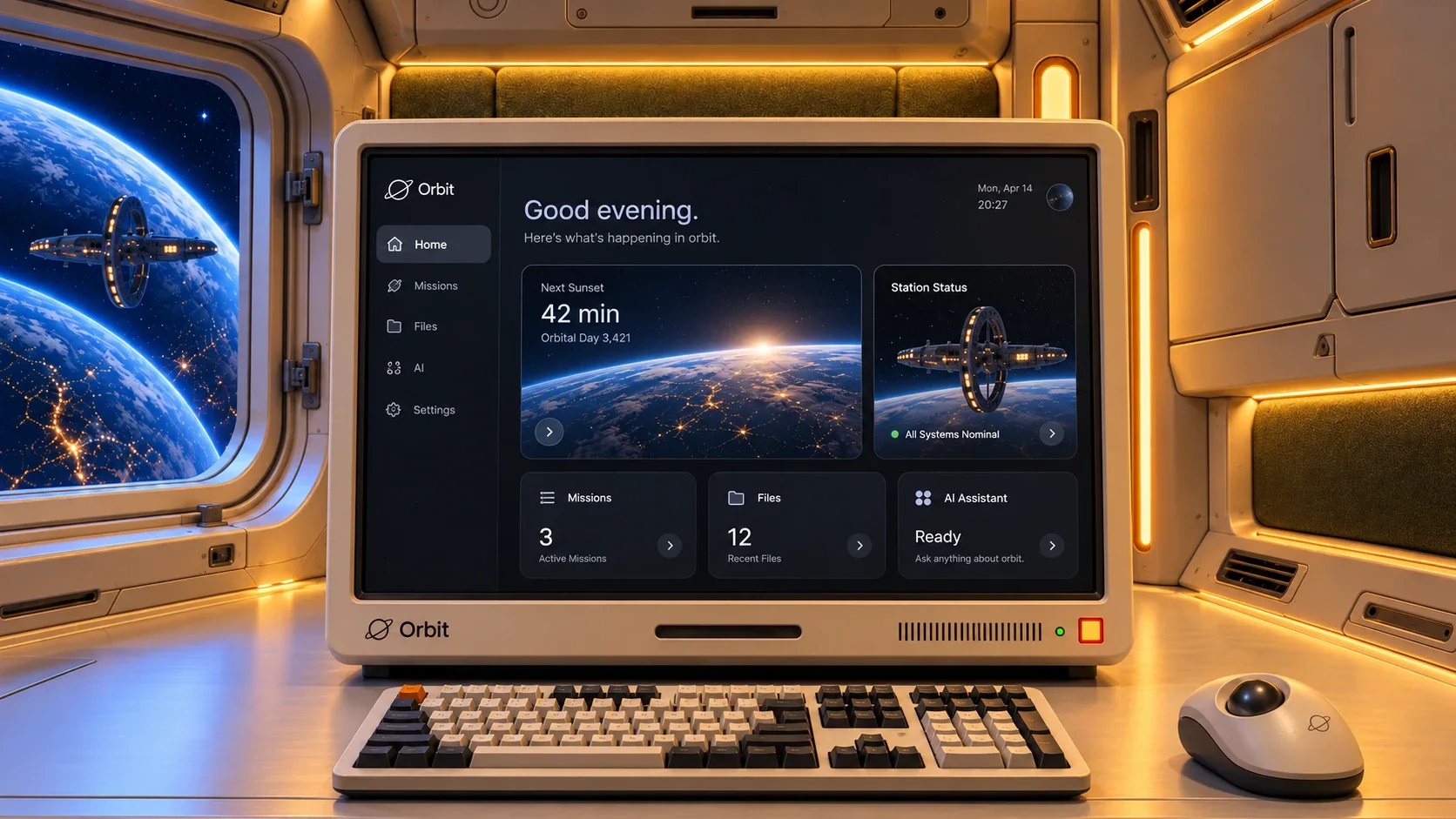
AI concept art set the mood: a cream pod, a warm niche, a retro monitor, the Earth at night outside. The seated view became the camera.
- 02
Set
Every object is a Blender script, lit once by a baked lightmap.
- 03
Screen
The monitor shows a real web page, and the 3D keyboard types along.
- 04
Merlin OS
A desktop with windows, a dock and apps, with my work on it as files.
- 05
Life
A robot with a personality, switches you shouldn't press, and a hyperdrive.
The room
Every model is a script.
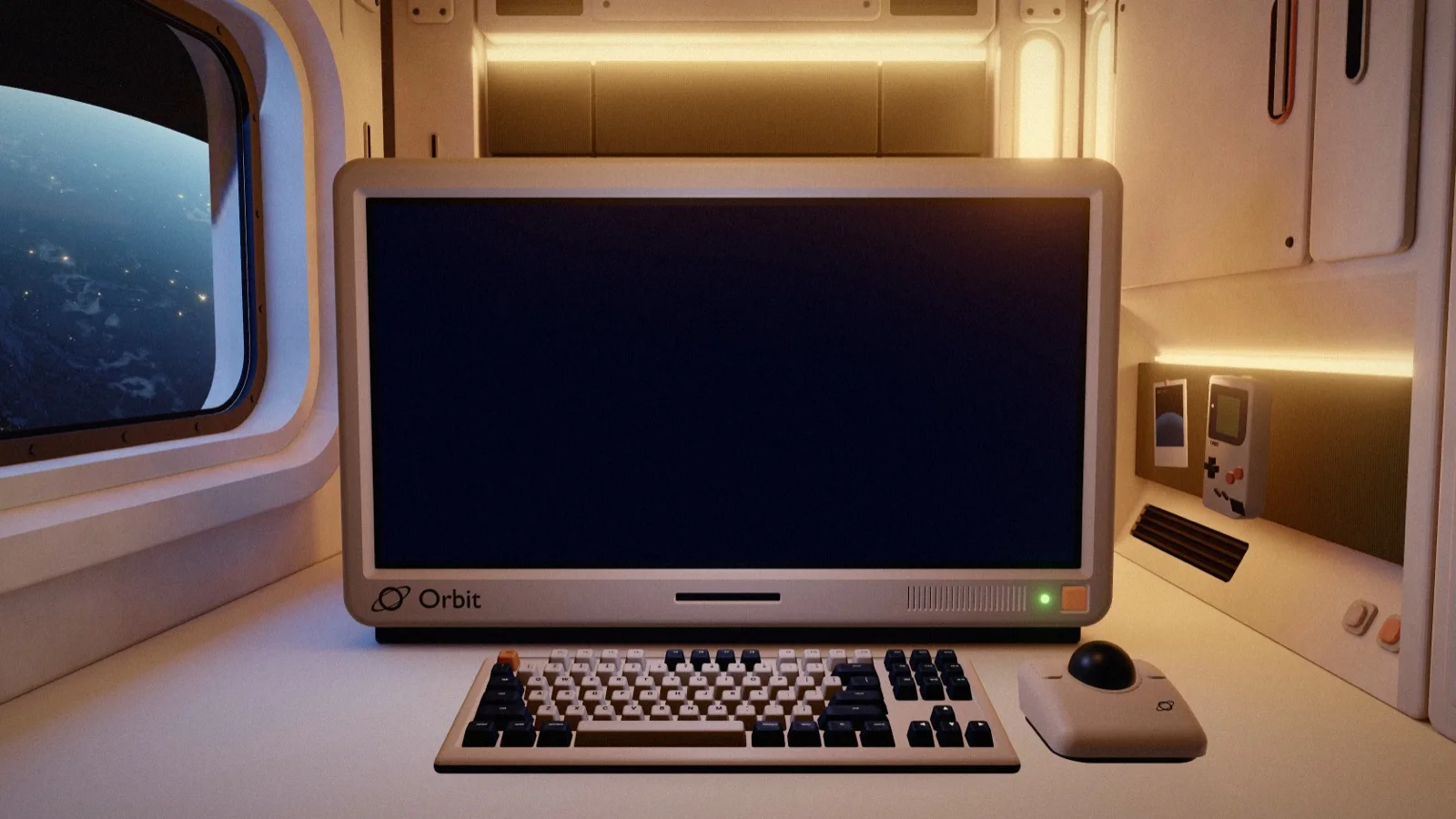
Nothing was modelled by hand. Each object is a Python script run in Blender, built from a few parameters, so changing the room means changing a number and running it again. The pod shares one panel kit, which keeps the corners, gaps and bevels consistent everywhere.
The room is lit once, in a single baked lightmap, then graded on the site with a light filmic pass. The same grade sits over the screen too, so the page on the monitor and the room around it read as one picture.
The screen
A real computer, not a picture of one.
The monitor shows a live web page, kept aligned to the 3D screen, so text stays sharp and everything on it works. Type and the keys on the desk press in time with you.
Merlin OS
An operating system with one owner and a guest.
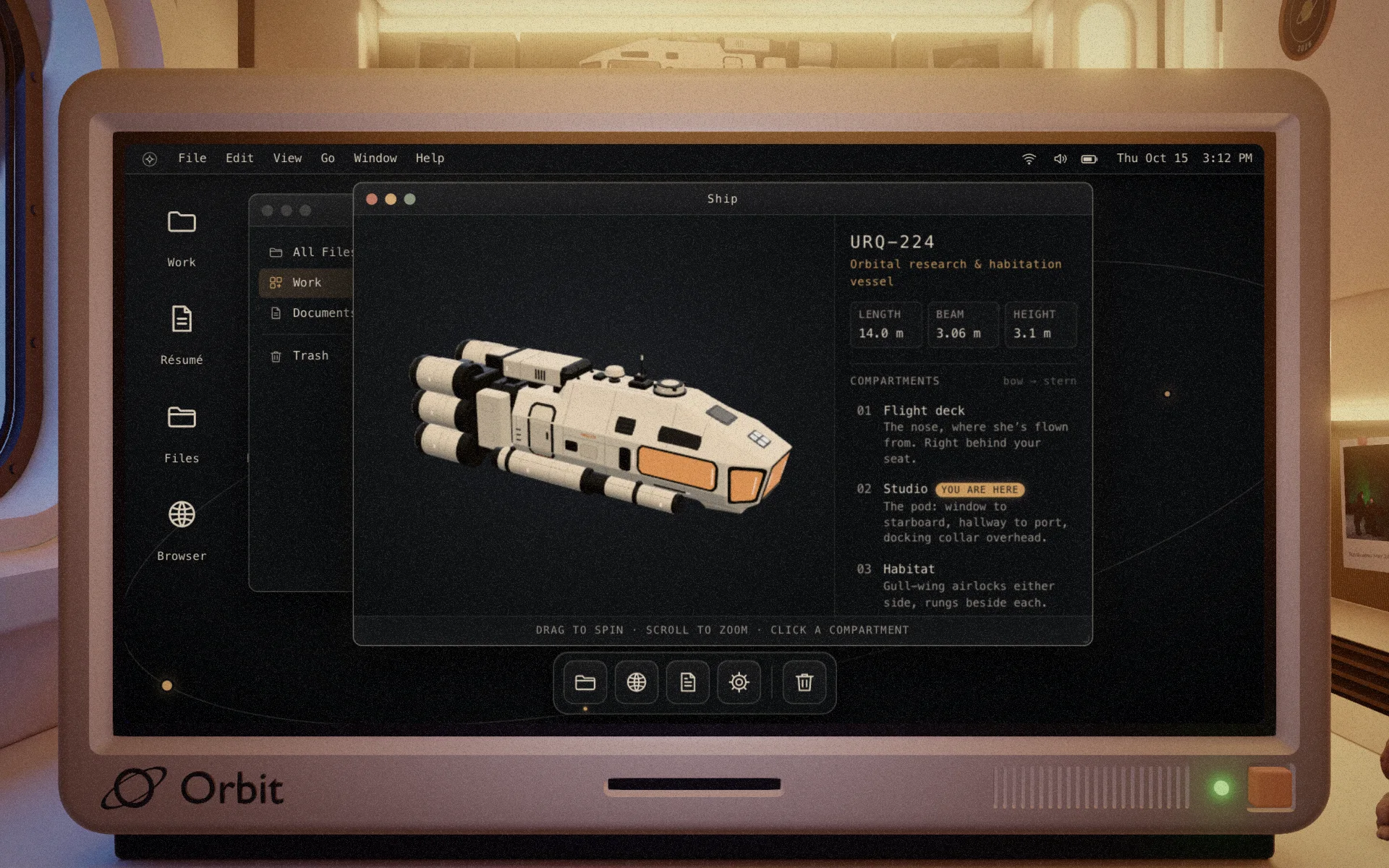
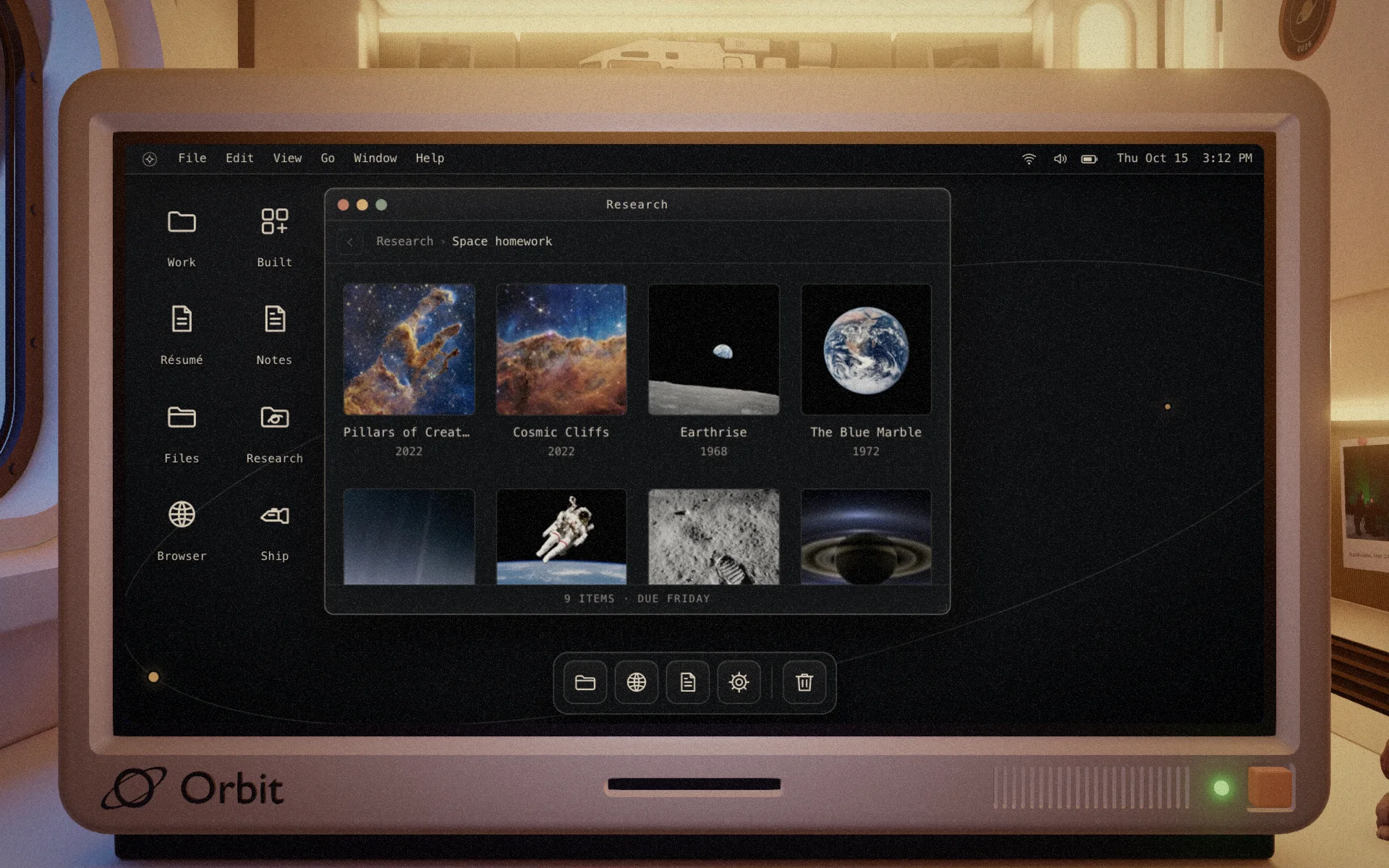
Merlin boots, signs you in and opens a desktop: menus, icons, a dock and windows you can drag around or zoom to full screen. The apps are the ones a desk computer would have, plus a few for this one: Research, the space homework on the wall behind you, and Ship, the vessel you are sitting in.
Visitors come aboard as a guest and land on my work. Product Design holds the case studies, each opening on a playthrough of the real prototype, a cursor clicking through the screens I designed. Product Dev holds what I built.
Milo
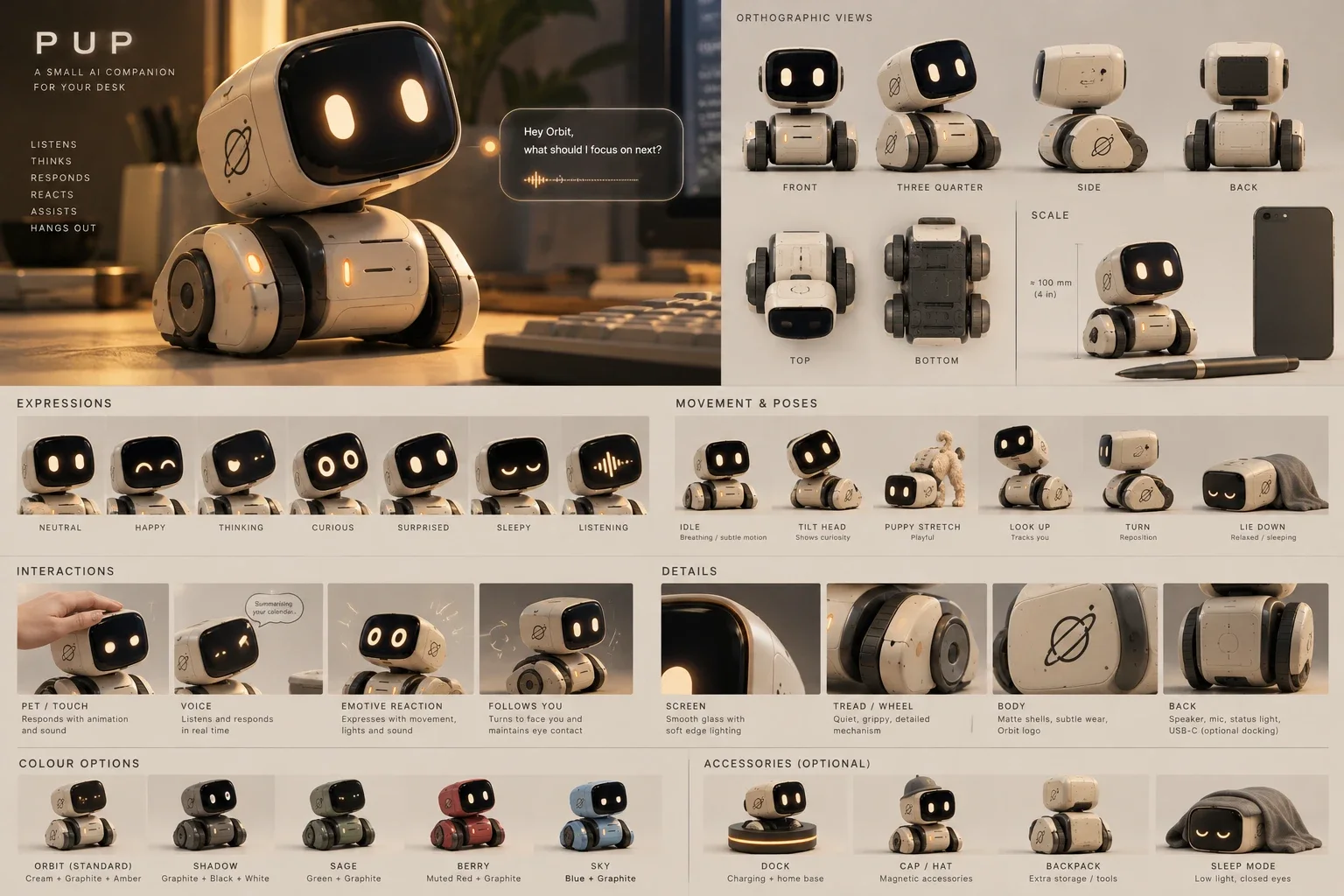
A robot with a personality, written down first.
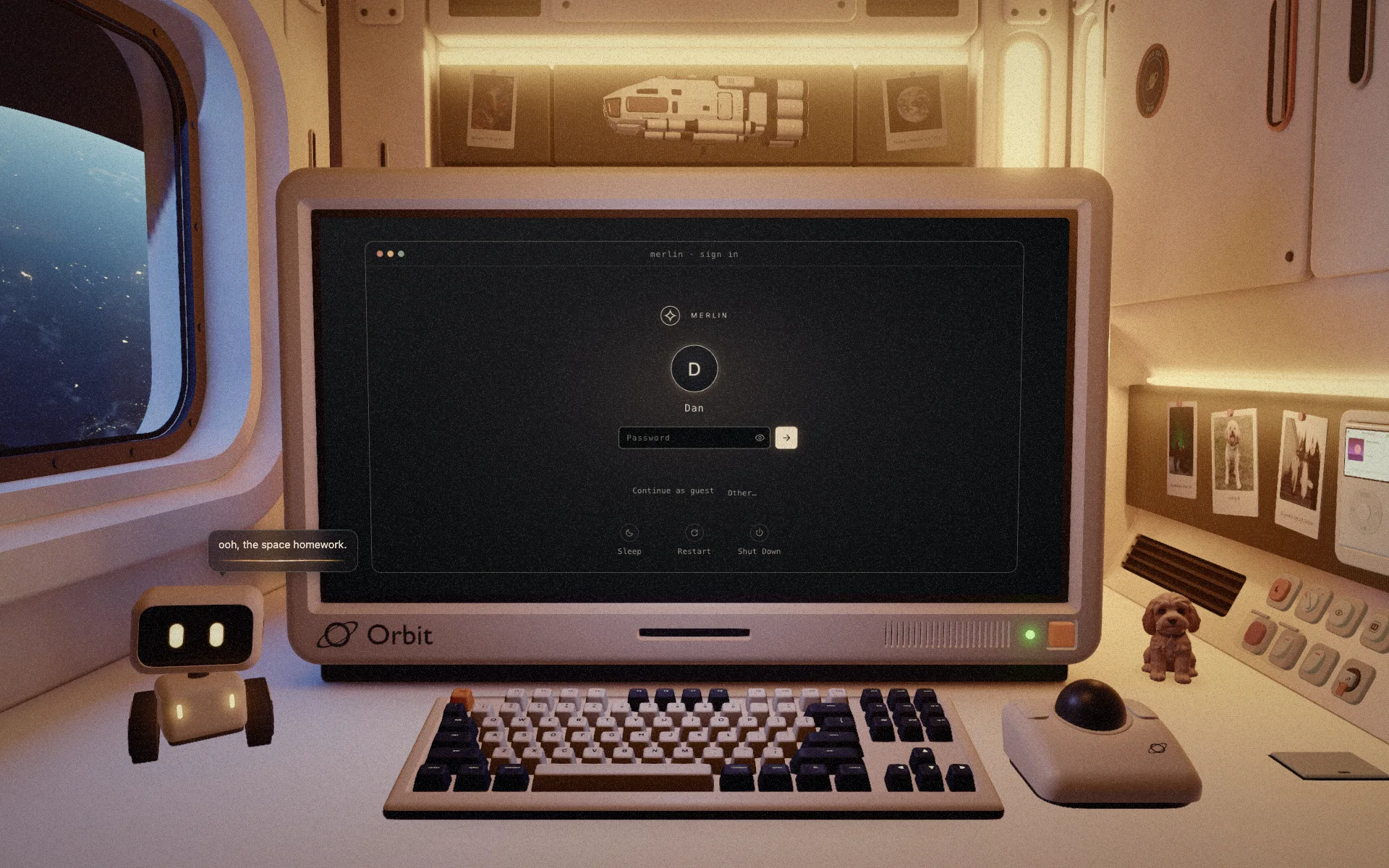
Milo lives on the desk. Before any code I wrote who he is: how he talks, what he loves, what annoys him. His lines come from that document, and he reacts to what happens on the computer, like a case study opening or a guest signing in.
He drives around the desk without hitting anything, turns to face you when he arrives, and is pleased when you click him. Click him ten times and he gets dizzy, then grumpy for exactly three seconds.
Things to press
Eight switches and a hyperdrive.
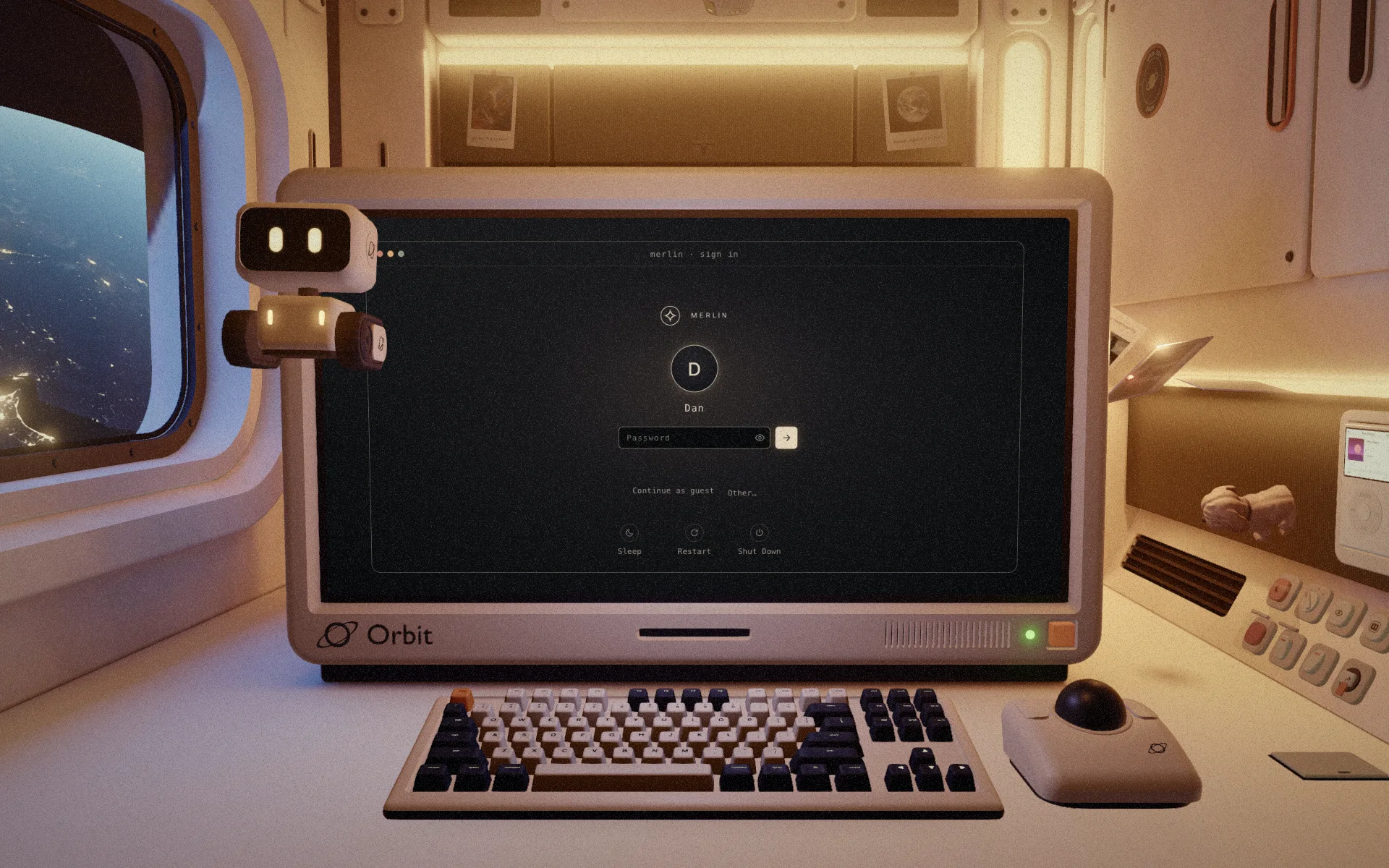
The niche has a panel of switches: sleep, lights, the window shade, other views of the Earth, a key that powers Milo down. Two sit under glass. One turns off gravity, and the prints, the toys and Milo float up and bump around. The other says DO NOT. People press it.
The hyperdrive is my favourite. Flip open the plate in the desk, push the lever, and over six seconds the lights dip, the stars streak past and the pod arrives somewhere else: a gas giant, an ice world, a nebula.
URQ-224
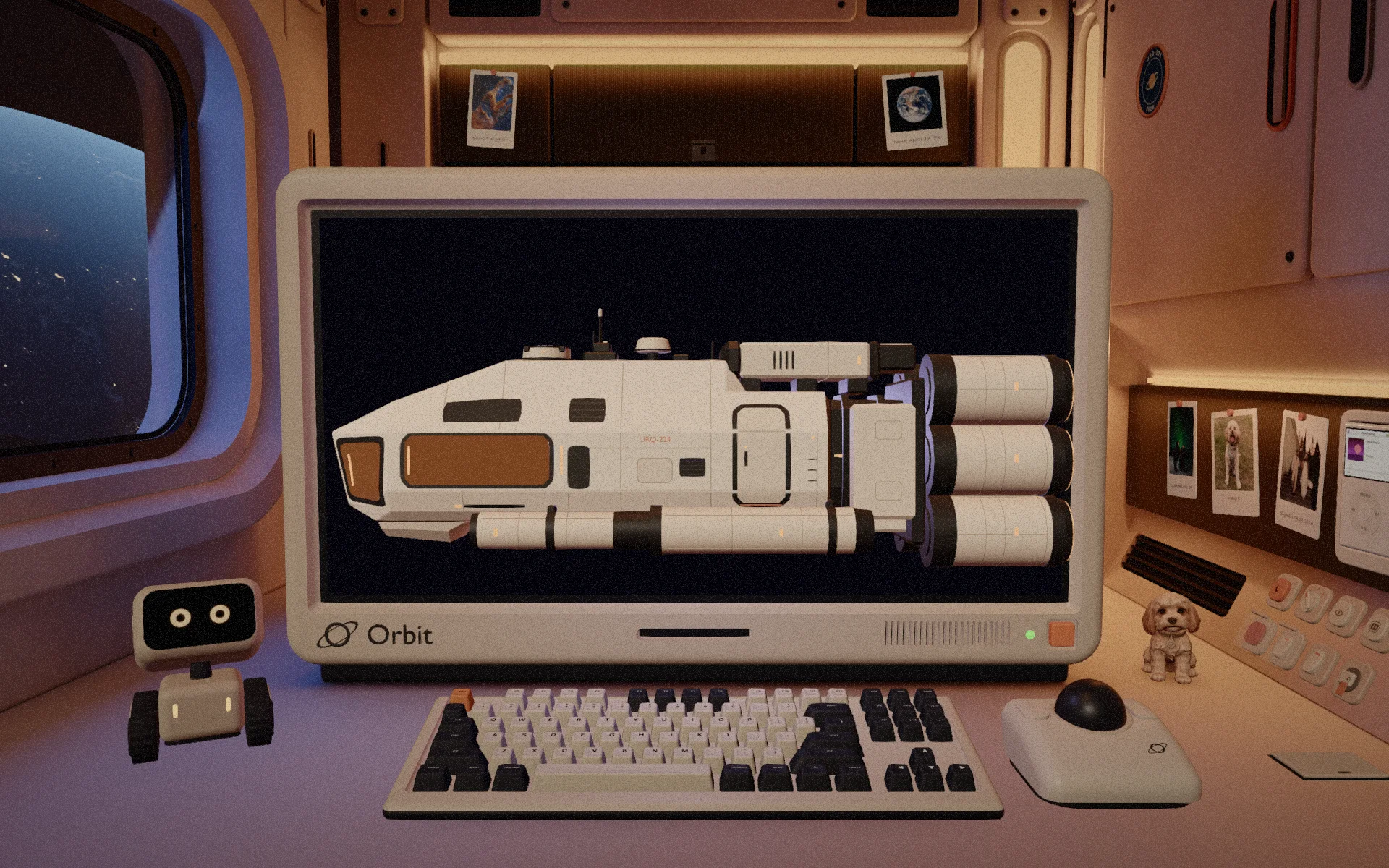
The ship the pod lives in.
Once the room existed it needed a vessel around it. URQ-224 is a small research ship, fourteen metres long, with a crew of one plus Milo. A model of it hangs on the wall: take it down and its engines fire one by one. It is also on the computer, in the Ship app, with the room you are sitting in marked as you are here.
How it was built
Specs first, scripts as the source of truth.
Design came first: the concept, the look, the room and the operating system, worked out before any of it was built. Then I built it the way I build product frontends: a short spec for each feature, then the build with AI coding tools. Anything with real logic has tests. Anything with geometry lives in a script, so no change is ever a one-off.
The night Earth is NASA’s Black Marble. The prints on the wall are NASA and ESA/Webb images, credited in the repo.
What I took from it
The gap between designing and building has closed.
Not long ago this would have been a Figma file and a wish. Now the distance from a concept image to a lit, working, inhabited room is weeks, and what limits it is taste: what the room should feel like, which switch deserves glass, how long a robot should stay grumpy. That judgement is the job. The tools let me carry it all the way to the end.